Proof approval for sign and print shops, with print-file checks before the proof goes out
Send the proof. Your customer opens one link, no login, ticks the boxes you require, and approves or asks for changes. Native files open as a zoomable preview that stays sharp, the print file is checked at the size it will actually print, and the approval is on record.
Proof 2 · Yard sign · 24 × 18 in
- Spelling and phone number are correct
- Size and quantity are correct
- Colours on screen are approximate
What your customer sees
Customers don't read proofs; they glance and reply "looks good". Every part of the approval page is there to change that.
No login, nothing to install
The customer opens the link from your email and sees the proof. No account, no password reset, no app.
Built for a phone
Most customers open a proof on their phone between other things. The page is made for that screen first.
Boxes they have to tick
Required checkboxes like "spelling and phone numbers are correct" before Approve works. Ticking line by line is what gets a proof actually read.
Approve, or ask for changes
Two clear choices. A change request comes back to you on the job, instead of starting another email thread.
A record of the approval
Which proof was approved and when, with the boxes they ticked. When the wrong phone number turns up on a sign, you can show what was approved.
Native files your customer can zoom into
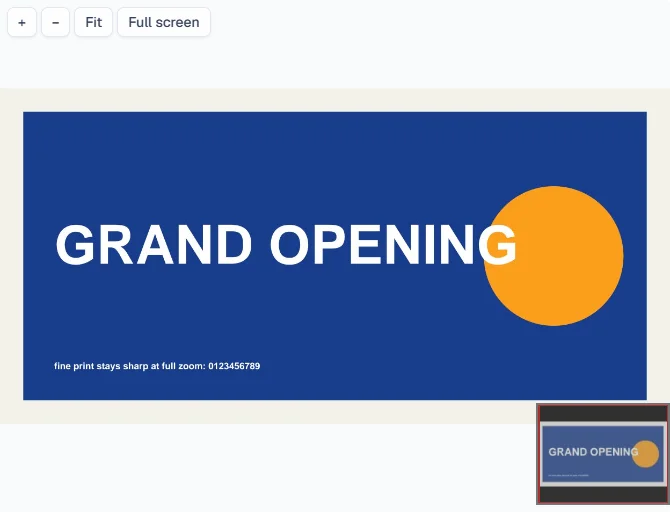
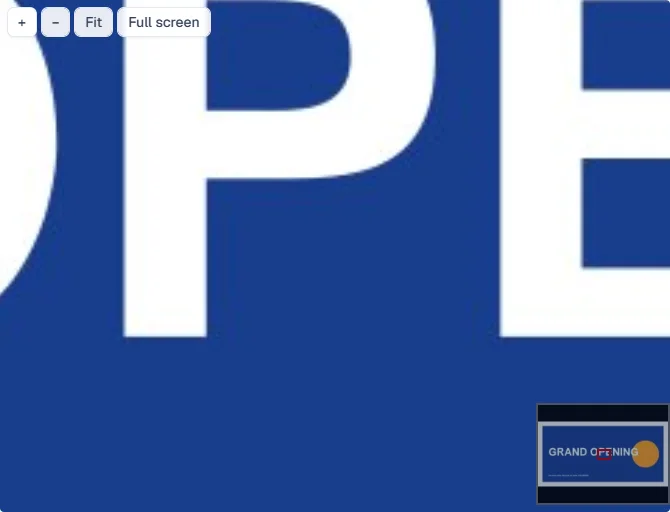
Upload the PDF, AI, EPS, PSD or TIFF you print from. A minute or so later it opens as a zoomable preview, on your proof page and on the customer's link, and it stays sharp right down to the fine print.
The files you actually print from
PDF, Illustrator, EPS, Photoshop and TIFF. No exporting a JPEG just so the customer can see the proof.
Sharp at full zoom
Zoom into the fine print, the phone number, the edge of a logo. It stays crisp, even on a full-size banner.
For you and for the customer
The same zoom on your proof page and on the customer's link, no login, on a phone or a computer.
The original stays attached
The zoomable preview is for looking. The file itself is always one click away to download.
Uploads up to 300 MB
Big files go up in pieces, so a dropped connection carries on from where it stopped instead of starting over.
Still checked at the final size
Every file still gets the print check at the size it will print, alongside the zoomable preview.
Print checks at the final size
"300 DPI" means nothing without a size. A logo that's sharp on a business card is a blur on an 8-foot banner. Proofs checks the print file at the size it will actually print, so the low-res logo gets caught before the customer approves it, not after it's on the printer.
The rules of thumb are the sign trade's own: the farther away a sign is read, the less resolution it needs, and anything cut on a plotter needs vector art. You can try the same kind of check on any file right now, free, with nothing uploaded.
| Product | Sharp at | Floor | Bleed | Text in from edge |
|---|---|---|---|---|
| Yard sign | 100 DPI | 75 DPI | 1/8 in | 1/2 in |
| Vinyl banner | 75 DPI | 50 DPI | 1 in | 2 in |
| Vehicle graphic / wrap panel | 100 DPI | 75 DPI | 3 in | 2 in |
| Cut vinyl lettering / decal | vector only | no raster | none | 1/4 in |
Effective DPI at the final printed size. Defaults from the free checker; every shop's rules differ.
Proof approval terms you can use
An approval is only as good as what the customer agreed to. Copy these into your proof email or your terms, and change them to suit your shop. Plain language on purpose: terms nobody reads protect nobody.
Proof approval terms
PROOF APPROVAL TERMS

1. Please check everything: spelling, phone numbers, addresses, web addresses, sizes, quantities and colours. We make exactly what you approve.
2. We'll fix anything you spot before you approve, free. Mistakes found after approval are reprinted at your cost.
3. Colours on a screen are an approximation. Screens show light; printers lay down ink. If an exact colour matters, ask for a printed sample before you approve.
4. The proof image is not to scale unless it says so. The finished size is the one written on the proof.
5. If we've told you your artwork is low resolution for the size and you approve it anyway, it prints as supplied.
6. Approving this proof starts production. Changes after approval can change the price and the date.

Approved by: ______________________   Date: ____________
A template, not legal advice. Want it as a printable form with signature lines? Use the free proof approval form.
How shops handle proofs today
The honest version: prices as each company publishes them, with the source, and "not checked" where we haven't verified one.
| Option | What it is | Published price | Worth knowing | Source |
|---|---|---|---|---|
| Email + PDF attachment | The default: send a PDF, wait for a reply | Free | Approval is whatever the reply says. One shop owner on Signs101: "I am tired of 50 emails." | Signs101, 2019 |
| DocuSign | E-signature, used by some shops as a proofing workaround | Not checked | A signature on a document. Not made for artwork proofs or print files. | Signs101, 2019 |
| Ashore | Online proofing for creative teams, with print pages | Free plan; $15/mo Starter; $46/mo for 3 users | General-purpose proofing. Removing its branding is a paid upgrade. | ashoreapp.comSaaSAdviser |
| ProofStuff (ShopWorks) | Online proofing for print and decorating shops | $112/mo for up to 1,000 proofs | Proofing for decorators, from the ShopWorks family. | shopworx.com |
| shopVOX (built in) | Proofing inside a full sign-shop management suite | Express from $109/mo + $29 per user/mo | Proofing comes with the whole suite, priced per user. | shopvox.com/pricing |
| Corebridge (built in) | Proofing inside a full print-shop management suite | Not checked | Proofing comes with the whole suite. | Signs101, 2020 |
| PrinterFlo Proofs | Proof approval for sign and print shops, on its own | From $49/mo | No-login approval, required checkboxes, print-file checks at final size, an approval record. | This page |
Prices as published on each company's own page (or the listed third-party page) when we checked in October 2026. They change; check the source before you decide. One shop owner on Signs101 described the proofing built into Corebridge and shopVOX as "convoluted and not very feature rich" (2020 thread); that's one user's opinion, and both products have changed since.
Pricing, and how it connects to PrinterFlo
PrinterFlo Proofs
from $49 /mo
Proof approval on its own, for shops that already quote and invoice somewhere else.
- Send a proof from one place
- Customer approves with no login, on any phone
- Required approval checkboxes
- Approve or request changes
- Print-file checks at the final size
- A record of every approval
PrinterFlo, the full plan
$179 /mo flat, unlimited users
The whole shop around the approval: the proof is approved, the deposit is paid from the same link, and the job is on your production board.
- Quotes with cost, price and margin on every line
- Deposits by card into your own Stripe account
- A production board with your own stages
- Invoices that sync to QuickBooks Online
Both run in the same app at app.printerflo.com.
Questions shops ask
Do my customers need an account?
No. They open the link you send and approve or ask for changes right there, on a phone or a computer. There's nothing to sign up for and nothing to install.
Will the approval record hold up in a dispute?
It records what a dispute usually turns on: which proof was approved, when, and the boxes the customer ticked first. Whether that settles a particular argument depends on your terms and where you are, so we can't promise an outcome and this isn't legal advice. Clear written terms (there's a template on this page) plus a record tied to a specific proof is the standard worth holding.
What DPI does a banner or yard sign actually need?
Measured at the final size: about 75 effective DPI looks sharp on a banner read from across a lot (50 is the floor), and about 100 on a yard sign read from the street (75 is the floor). Business cards are the only common print job that truly needs 300. The free print file checker lists defaults for each sign product and lets you change them.
Does it fix files, or only flag problems?
It flags them. A low-res logo can't be fixed by upscaling it, and colour conversions belong to whoever owns the brand. The point is to catch the problem before the customer approves, so the conversation happens at the proof and not after the print.
What happens to RGB files?
PrinterFlo doesn't convert anyone's colours. An RGB file prints through your RIP's normal conversion, where bright blues, greens and oranges can come out duller than on screen. Knowing a file is RGB before the proof goes out means you can warn the customer, or ask for CMYK, while it's still cheap to change.
Which files can my customer zoom into?
PDF, Illustrator files saved as PDF compatible, EPS, Photoshop files saved with Maximize Compatibility, and TIFF, plus very large JPEG and PNG files. A minute or so after you upload one, the proof opens as a zoomable preview that stays sharp, even for a full-size banner. A PDF with several pages shows its first page. The original file always stays attached to download.
How big a file can I upload?
Up to 300 MB. Big files go up in pieces, so if the connection drops partway, the upload carries on from where it stopped instead of starting over.
Does it work without the full PrinterFlo plan?
Yes. PrinterFlo Proofs is its own plan, from $49/mo, for shops that want proof approval without changing how they quote and invoice. If you later want quotes, deposits, the production board and QuickBooks sync around the approval, that's the full PrinterFlo plan at $179/mo, in the same app.
I'm already on the full PrinterFlo. Is this included?
Proof approval is included in the full plan: send a proof from any job, and your customer approves it or asks for changes from the link. Add Proofs for native-file zoom and the automatic print check, $29 a month on top of your plan. You add it yourself in Billing, it's free while you're on your trial, and you can remove it any time.
Stop chasing "looks good" replies
One link, the boxes ticked, the file checked, the approval on record. From $49/mo.
Start a Proofs trial